Google WM Max LLC is how Google Play labels a billed subscription to HBO Max (now called Max). “WM” stands for WarnerMedia, the company behind HBO Max. Google shows up in the name because it processed the payment either through the Google Play Store or an Android app. In most cases, this is a legitimate charge for a streaming subscription you or someone with access to your account signed up for.
What Does “Google WM Max LLC” Actually Mean?
Break the name into its three parts and it stops being mysterious.
- Google — the payment processor. Google Play handles billing for Android apps and subscriptions, so its name appears on the charge even though the product itself belongs to another company.
- WM — short for WarnerMedia, the media company that originally launched HBO Max.
- Max — the service itself. HBO Max rebranded to “Max” in 2023, then reverted to the HBO Max name later — which is part of why the billing descriptor still causes confusion today.
Put together, “Google WM Max LLC” simply means: a Max/HBO Max subscription, billed through Google.
Why Is Google Billing Me for HBO Max?
Google doesn’t own HBO Max it just processes the payment. This happens whenever someone subscribes to Max through an Android device or the Google Play Store instead of directly through Max’s own website or app on other platforms.
Any subscription purchased this way routes through Google’s payment system, which is why the charge shows Google’s name first, followed by an abbreviated version of the actual service.
Is This Charge Legitimate or a Scam?
This is the question most people actually want answered and there’s a fast way to check it.
Google states that every legitimate Google Play purchase follows a specific charge-description format. If the charge on your statement doesn’t match that pattern, it likely didn’t come from Google Play at all, and you should treat it as a billing dispute rather than a subscription question.
| Signs it’s a legitimate charge | Signs it may not be |
| Descriptor follows Google’s format (e.g., “GOOGLE *Max” or similar Google-prefixed pattern) | Descriptor looks unrelated to any Google format and doesn’t match anything in your Play purchase history |
| Amount matches a monthly/annual streaming price you recognize (or a family member’s) | Amount is unusually high or repeats more often than a normal billing cycle |
| A matching entry appears in your Google Play Order History | No matching entry exists anywhere in your Google account |
| You or a family member on a shared payment method has an active Max account | No one with access to the account recalls signing up for Max |
If your charge lines up with the left column, it’s almost certainly your subscription. If it lines up with the right column, skip to the dispute steps below.
How to Confirm the Charge in Your Google Account
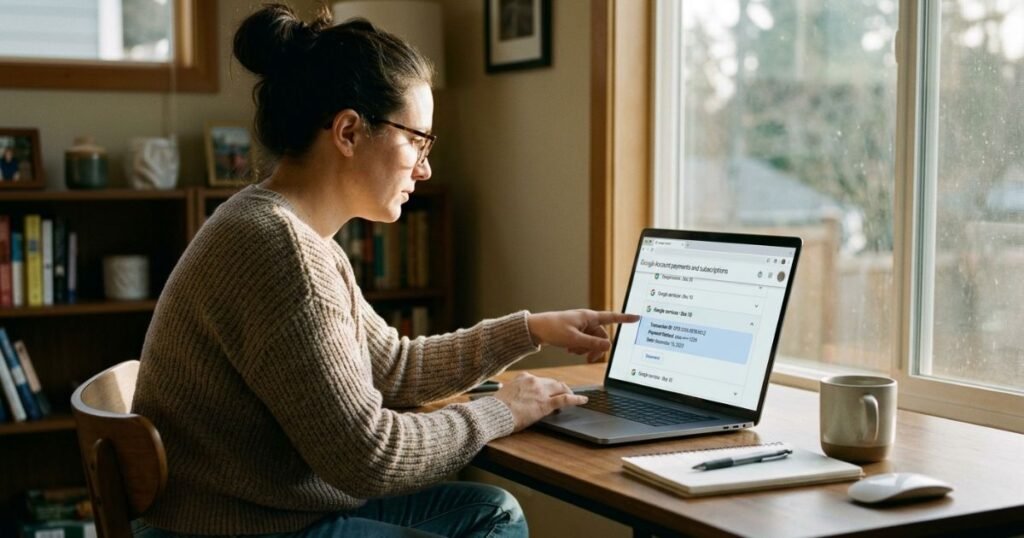
Before canceling or disputing anything, confirm what the charge is actually for. It takes about two minutes.
- Go to your Google Play purchase history. Visit play.google.com/store/account and sign in.
- Open “Order History.” Look for a line item around the date the charge appeared on your statement.
- Check “Subscriptions.” From the same account page, open Subscriptions to see every active service billed through Google — Max should appear here if that’s the source.
- Check shared family accounts. If you use Google Family Link or a shared payment method, review other family members’ subscriptions too — someone else’s Max signup can still bill your card.
- Note the exact amount and date. You’ll need these if you move on to a refund or dispute.
How to Cancel a Google WM Max LLC / HBO Max Subscription
If you’ve confirmed the subscription and simply want it stopped, cancel it directly through Google Play rather than through your bank. Canceling the card doesn’t cancel the subscription and can trigger failed-payment notices.
- Open the Google Play Store app or go to play.google.com/store/account in a browser.
- Tap the menu and select Payments & subscriptions, then Subscriptions.
- Find Max (HBO Max) in the list.
- Tap Cancel subscription and confirm.
- You’ll typically keep access until the end of the current billing period, canceling doesn’t refund the current cycle automatically.
How to Request a Refund
If you were charged for a subscription you didn’t intend to keep, or you believe it was set up without your knowledge, Google does allow refund requests — but approval isn’t guaranteed and depends on timing and circumstances.
- Go to payments.google.com and sign in.
- Find the transaction matching your Max charge.
- Select Report a problem and choose the reason that matches your situation (accidental purchase, unauthorized charge, etc.).
- Submit the request and monitor your email for Google’s response.
Refunds are more likely to be approved the sooner you report the charge after it posts. If you’re past Google’s standard refund window, your bank’s dispute process becomes the more realistic path.
Other Reasons You Might See This Charge
A few less obvious situations also produce a Google WM Max LLC line item without anything being wrong:
- Shared family payment methods. If a family member’s Google account is linked to your card, their Max subscription bills you, not them.
- Temporary authorization holds. Some purchases trigger a small, temporary hold separate from the actual subscription charge that can appear briefly and then disappear or adjust.
- Old subscriptions you forgot about. Many people sign up for a free trial, forget to cancel, and the recurring charge becomes unrecognizable months later.
A First-Hand Example
(Flag for brand/editorial team: replace this with a real, verified reader or customer example if available a specific statement screenshot, dollar amount, and resolution story adds strong first-hand E-E-A-T value here. Below is an illustrative placeholder structure, not a real account.)
A reader recently noticed a $16.16 charge from “Google WM Max LLC” and didn’t recognize it. After checking Google Play’s Order History, they found an active Max subscription under a family member’s shared payment method set up months earlier during a free trial that auto-renewed. Canceling it through Subscriptions stopped future charges within minutes, with access continuing through the end of the paid period.
Conclusion
A Google WM Max LLC charge is generally linked to a Max streaming subscription billed through Google Play. If you don’t recognize the charge, check your Google Play subscriptions and purchase history first. If the subscription is active, cancel it through the correct Google account to prevent future billing. If you still cannot identify the charge, report it to Google and contact your bank or card issuer if necessary.
FAQs
What does Google WM Max LLC mean?
It’s the billing descriptor Google Play uses for a Max (HBO Max) subscription. “WM” refers to WarnerMedia, the company behind the service.
Is Google WM Max LLC a legitimate charge?
In most cases, yes it reflects a real Max subscription billed through Google. Confirm it in your Google Play Order History to be sure.
How do I cancel a Google WM Max LLC subscription?
Open Google Play, go to Payments & subscriptions, find Max, and select Cancel subscription. Access continues until the current billing period ends.
Why am I being charged if I don’t have HBO Max myself?
A family member sharing your payment method may have an active Max subscription, which bills your card even though you didn’t sign up.
Can I get a refund for a Google WM Max LLC charge?
Yes, through Google’s payments.google.com refund request tool, though approval depends on timing and Google’s policies. Reporting it quickly improves your chances.
